
Chrome extension
Projects Organizer
A Chrome extension for organizing ChatGPT projects and conversations in a folder-based interface.
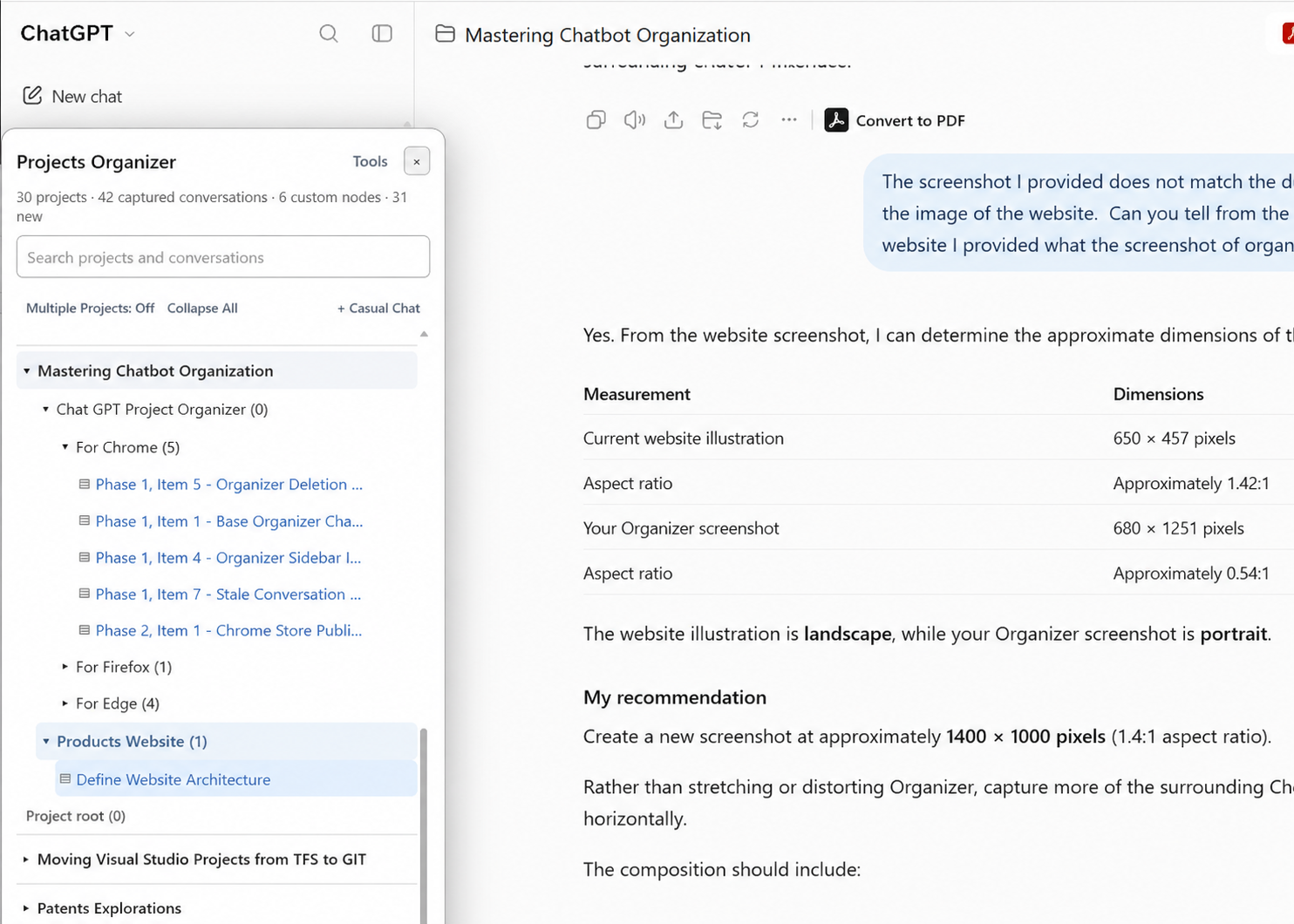
Projects Organizer brings structure to your ChatGPT workspace by letting you organize projects and conversations into intuitive, nested folders. Instead of navigating increasingly long conversation lists, you can group related discussions in a way that makes sense to you.
Whether you're managing multiple development efforts, conducting research, or juggling everyday tasks, Projects Organizer helps turn a growing collection of conversations into a workspace that's easier to navigate and manage.
Highlights
-
Nested folder organization
Arrange projects and conversations into a hierarchy that works for you.
-
Find conversations faster
Navigate organized discussions without searching through long lists.
-
Integrated with ChatGPT
Access your organized workspace alongside your existing conversations.
Install Projects Organizer
Choose your browser to get started.
Chrome Web Store
- Click here (opens in a new tab) to go to the "Projects Organizer" extension page.
- Click "Add to Chrome".
- Confirm the installation when prompted.
- Open ChatGPT and sign in.
- Click the Projects Organizer launcher near the message composer.
Firefox Add-ons
- Click here (opens in a new tab) to go to the "Projects Organizer" extension page.
- Click "Add to Firefox".
- Confirm the installation when prompted.
- Open ChatGPT and sign in.
- Click the Projects Organizer launcher near the message composer.
Microsoft Edge Add-ons
Coming soon